
Passneitor1.6.1 - Get APK
You'll be able to download in few seconds.
Publisher Description
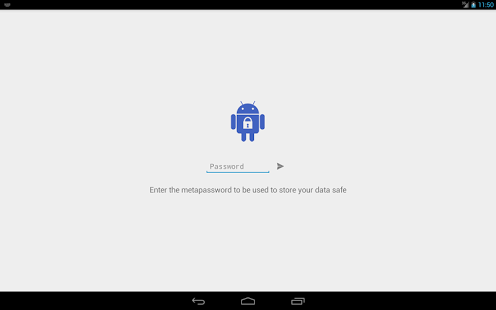
FEATURES
- Store all your passwords securely.
- Editor to manage categories with holo-inspired icons.
- Search all fields.
- It's free and without ads!
- Backup of encrypted data in CSV format.
- Backup between other apps (KeePass, KeePassX) in CSV and XML format without encryption.
- Election of the selected folder for import and export operations.
- Custom schedule for timed backups.
- Max number of backups
- Optional self-destruct and reset.
- Interface in light and dark, in handset and tablet devices.
- Add passwords to the clipboard.
- Hide and show fields.
- (!) KeePassX import supported
- (!) Redesigned icons
- (!) Optional number of items
- Will be updated with improvements and fixes
SAFETY FEATURES
- AES128 encryption method, using the password entered by the user as a seed with SHA1PRNG (the most safe encryption method to use in Android).
- Encrypted backups, being necessary to enter the password when you have to import.
- Export and Import in CSV and XML format without encryption in KeePass format to bring your data from other apps, being able to use their software to convert almost any file from another app to Passneitor through it: http://keepass.info/help/base/importexport.html
- Ability to change the password entered and therefore the seed used.
- Maximum login attempts.
- Self-destruct feature. The app will destroy all database items and saved copies if a strange try to enter the app a custom number of times.
- Password generator. You can generate random and secure passwords for your accounts.
- Does not require internet permissions, only read and write in SD and copies alarm timer.
If you like this app, vote in the Market. If you want to know more about Passneitor, please visit the project website.
All suggestions and advices are well accepted.
About Passneitor
The company that develops Passneitor is chiwiu. The latest version released by its developer is 1.6.1.
To install Passneitor on your Android device, just click the green Continue To App button above to start the installation process. The app is listed on our website since 2015-02-15 and was downloaded 0 times. We have already checked if the download link is safe, however for your own protection we recommend that you scan the downloaded app with your antivirus. Your antivirus may detect the Passneitor as malware as malware if the download link to com.passneitor is broken.
How to install Passneitor on your Android device:
- Click on the Continue To App button on our website. This will redirect you to Google Play.
- Once the Passneitor is shown in the Google Play listing of your Android device, you can start its download and installation. Tap on the Install button located below the search bar and to the right of the app icon.
- A pop-up window with the permissions required by Passneitor will be shown. Click on Accept to continue the process.
- Passneitor will be downloaded onto your device, displaying a progress. Once the download completes, the installation will start and you'll get a notification after the installation is finished.
Program Details
System requirements
Download information
Pricing
Version History
version 1.6.1
posted on 2015-02-15
# Version 1.6.1 - 2015/02/15,- Bug of some devices of access denial fixed
version 1.0
posted on 2013-07-02
Several fixes and updates
Disclaimer
External Download
We do not host Passneitor on our servers. We did not scan it for viruses, adware, spyware or other type of malware. This app is hosted by Galad and passed their terms and conditions to be listed there. We recommend caution when installing it.
The APK Download link for Passneitor is provided to you by apps112.com without any warranties, representations or guarantees of any kind, so access it at your own risk.
If you have questions regarding this particular app contact the publisher directly. For questions about the functionalities of apps112.com contact us.
